
3D Scan Buddy
Free. Make a 3D scan usable in CAD: import a mesh, clean it up, align it, fit surfaces to it and export for whatever CAD you use.
What it does
Scans of real parts are noisy, have holes and arrive in an arbitrary orientation. 3D Scan Buddy does the reverse-engineering step: you paint a region of the scan, it fits an exact plane, cylinder, cone or sphere to it, reports the fit error, and gives you construction geometry (planes, axes, points) from the fits. You then design against that geometry in HardForm or any other CAD.
Screenshots
-
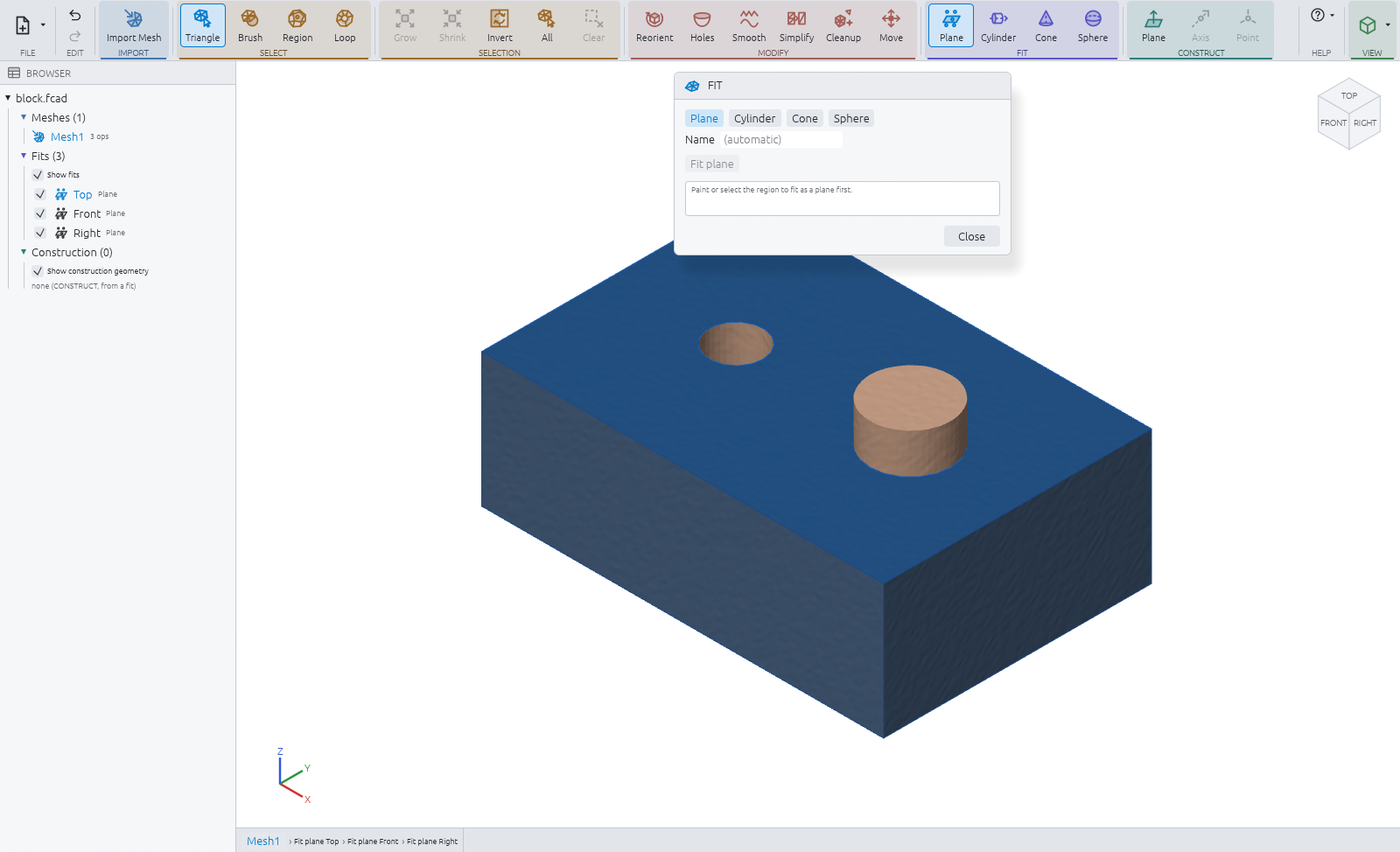
Plane fits on a scanned block.
- Screenshot to come
Cylinder fit on a bore.
- Screenshot to come
Export: mesh, fitted STEP surfaces, document.
Workflow
- Import an STL, OBJ or 3MF mesh.
- Clean up: remove stray pieces and degenerate triangles, fill holes, smooth, simplify.
- Align to a datum frame: from a flat face or a bore, a guided 3-2-1 for fixtures, or an organic path for scans with no flat faces.
- Fit planes, cylinders, cones and spheres to painted regions. A region that is not that surface is refused with its residual.
- Construct planes, axes and points from the fits: a bore center, a corner, an intersection line.
- Export the cleaned mesh (3MF or STL), the fits as exact STEP surfaces, and a document copy.
What it is not
- Not a modeler: no sketches, features, assemblies, drawings or CAM.
- No freeform reconstruction: the fitted geometry is the reference you design against, not a stitched solid or NURBS surface from the scan.
Details
- Free, no license key, no account.
- Mesh and STEP exports share one aligned frame and millimeters, so they register in your CAD without recentering.
- Built from the same code as HardForm's Meshes workspace; opens HardForm documents and keeps their modeling features untouched.
- Command line access to every operation through the HardForm command line program.